TRN product
TRNVO
TRNVO is a single voice channel. High-pass, de-plosive, gap expander, voice EQ, side-chain de-esser, dynamic boom cut, phrase leveler, soft-knee compressor, low-mid warmth and a true-peak limiter. Separate Style, Mic and EQ presets. Skins and meters. Windows installer.
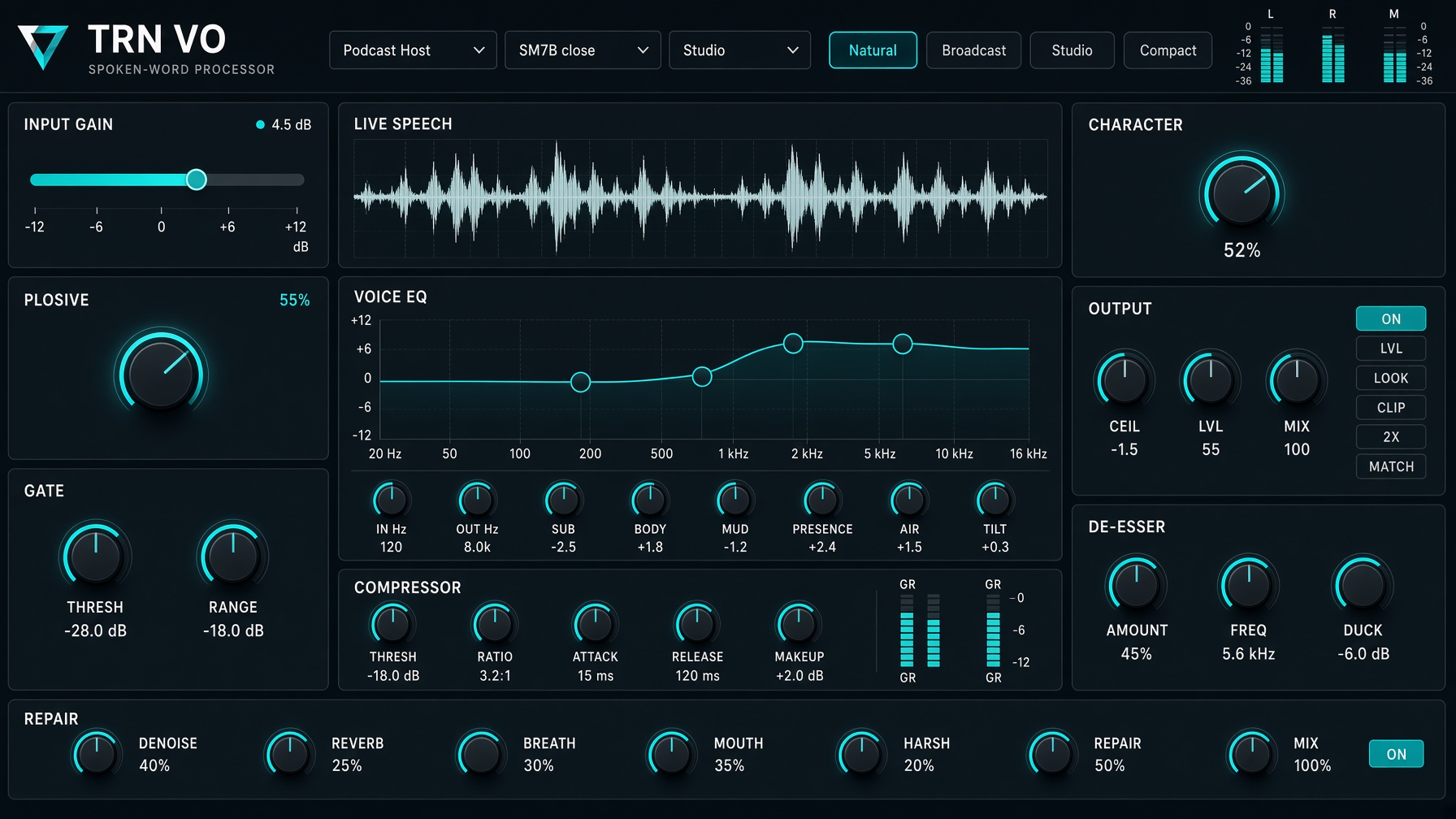
What it is
TRNVO is one channel for a spoken voice. Voice-over, podcast, narration, interview and live stream. It is not a music mastering plug-in and it does not tune pitch. The voice stays on a single path, so the low end is not split apart and summed back with the phase smear that makes speech sound hollow or robotic.
Signal path
- Input. Manual gain, plus an optional slow auto-gain that aims speech near −18 dB without shoving peaks past about −12 dB.
- High-pass. Rumble and stand noise. The filter used on the voice is kept between 40 Hz and 100 Hz so a preset cannot strip the chest.
- De-plosive. A short dip in the lows when a P or B bursts.
- Gap expander. Open while someone is speaking. In a pause the level eases down toward Range. It is not a hard mute, so word endings are not chopped.
- Voice EQ. Sub near 100 Hz, a wide body shelf around 180 Hz, chest near 190 Hz, a narrow mud cut near 360 Hz, presence near 3.4 kHz, and a small air shelf. Extra nodes can be dragged on the curve. Double-click removes a node you added.
- De-esser. Listens only around the frequency you set, usually 5.5–7 kHz, and turns that band down when an S or T sticks out. The rest of the word is untouched. Listen solos the band so you can hear what it is catching.
- Boom. Watches about 220 Hz. A steady voice keeps its chest. A boomy word is dipped, and only in that band.
- Leveler. The control that actually pulls a loud phrase and a quiet phrase together, by up to about 9 dB, slowly.
- Compressor. Only turns down what crosses the threshold. Wide 12 dB knee, so it eases in instead of grabbing. It does not lift quiet lines. That is the leveler’s job.
- Warmth. A clean blend around 130 Hz. Not distortion, and not a treble boost.
- Limiter. Holds the ceiling, usually −1.5 dBTP. No look-ahead, so a live voice stays in time with the picture.
Three preset menus, on purpose
Style sets tone, leveler, compressor and the gap. Broadcast, audiobook, trailer, podcast, interview, meditation and the rest, in alphabetical order.
Mic is a correction for the capsule you recorded with: SM7B, U87, RE20, NT1, MKH 416, lav, phone and others. It does not pretend to be a different microphone.
EQ changes only the curve. Picking an EQ preset does not move the mic match or the compressor.
Loudness targets are −16 LUFS podcast stereo, −19 podcast mono, −14 streaming and −23 broadcast.
What you see
Skins change the whole panel, not just a tint. Studio, Brass, Hologram, Ink Wash, Volt, Blueprint and the rest are listed in alphabetical order. Meters are drawings of the same voice: columns, radar, ribbon, halo and others. Changing the meter does not change the sound. IN, gain reduction, OUT, short and integrated LUFS, and true peak stay on the strip.
Saving a setup
Type a name and press Save. The file lands in Documents/TRNVO/Presets and includes the knobs, the style, the mic, the EQ, the meter and the skin. The last file you saved is loaded again shortly after the window opens.
Repair
Breath, mouth-click and harsh controls sit in the path. Denoise lowers the pauses when nobody is speaking. It does not pull noise out from underneath a word.
Speech stays up. Pauses ease down. Not a chop.
Side-chain. Only the S band moves.
Loud and quiet phrases meet. The compressor does not do this.
True-peak ceiling without look-ahead delay.